Profile and Security
Account Settings
Every user can view and update their own Jack Henry Identity profile information. Let’s explore a few different paths they might take to get there.
Login directly at https://login.jackhenry.com/login
When a user wishes to access a JH product integrated with Jack Henry Identity, they must start the login flow at that product’s URL and be redirected to the Jack Henry Identity login page.
If the user instead wishes to access their Jack Henry Identity profile information, they can start the login flow directly on the Jack Henry Identity login page. After authenticaion instead of being redirected back to a product, they’ll be taken to Jack Henry Identity Account Settings.
Access a link within another JH product
Some products integrating with Jack Henry Identity have present users with profile and/or security screens within their product. Where it makes sense, the product team may wish to provide a link from their screens to the Jack Henry Identity Account Settings.
- https://login.jackhenry.com/account-settings is the URL for the Profile page.
- https://login.jackhenry.com/account-settings/security is the URL for the Security page.
Note, these pages are only for a user to view their own profile and security details.
Profile
Here’s a look at what users see on the Profile screen.
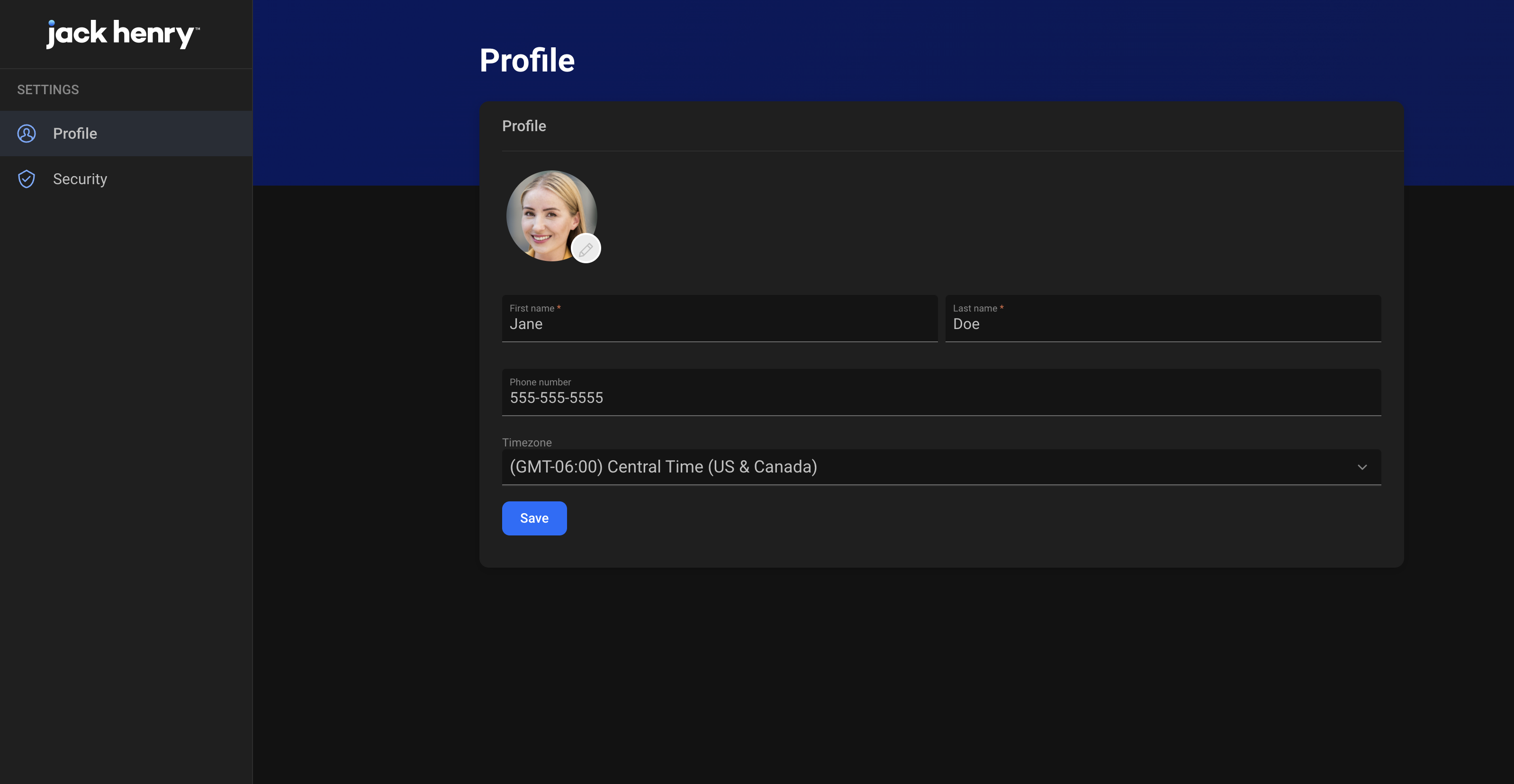
Users can edit the name fields, their phone number, and their time zone. Email address (which is also username) is not editable. If a user needs to change their email, currently that requires them to be invited as a new user.
A future enhancement is planned so that users whose domain is configured for Active Directory integration will see the name and email address from Active Directory within their Jack Henry Identity profile.
Security
Users can view and manage their 2-factor authentication methods from the Security screens.
Here’s a look at what users see when they navigate to Security.
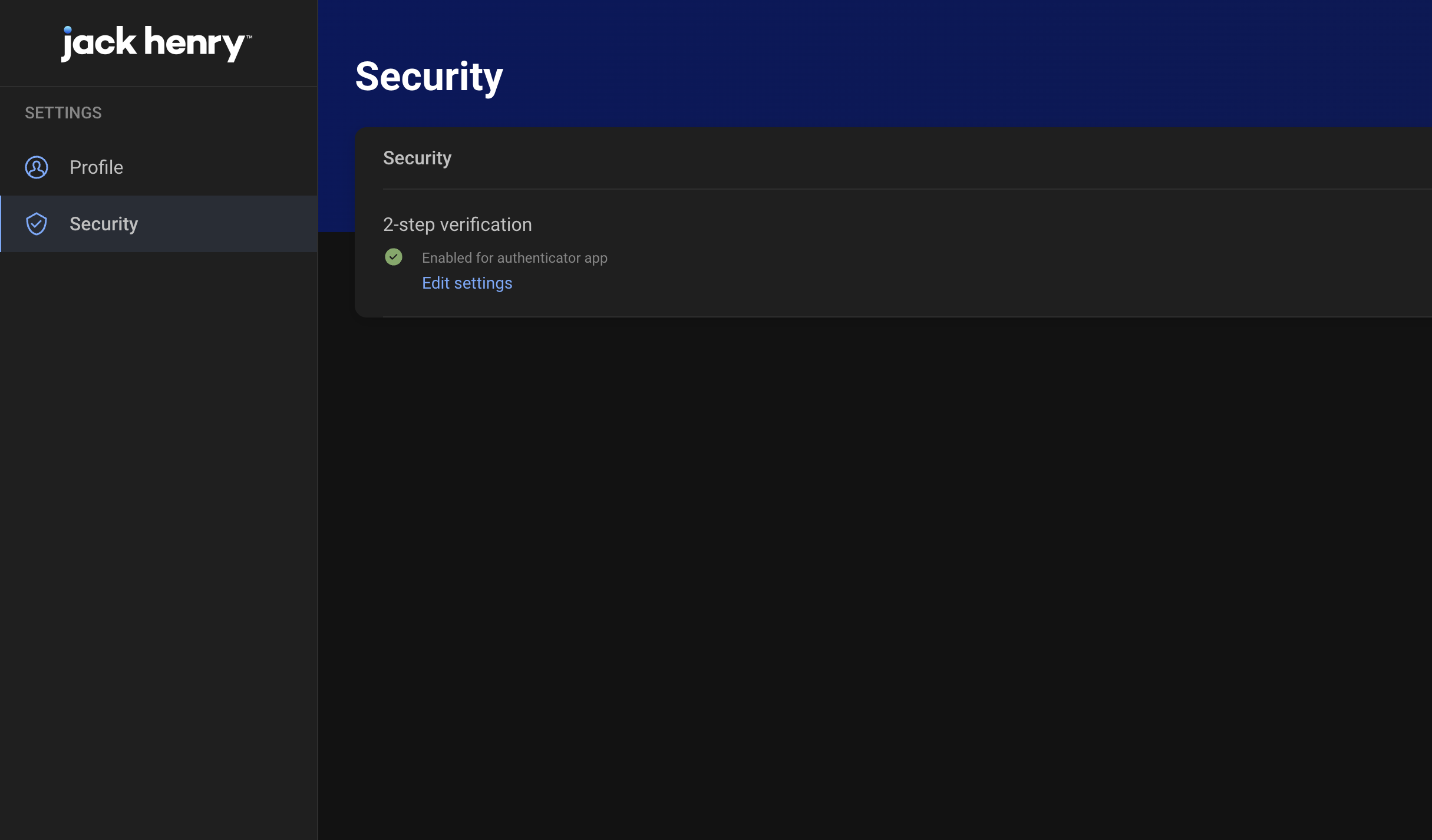
If the user selects “Edit Settings” they’re taken to this screen where they can remove enrolled methods, or set up new ones.
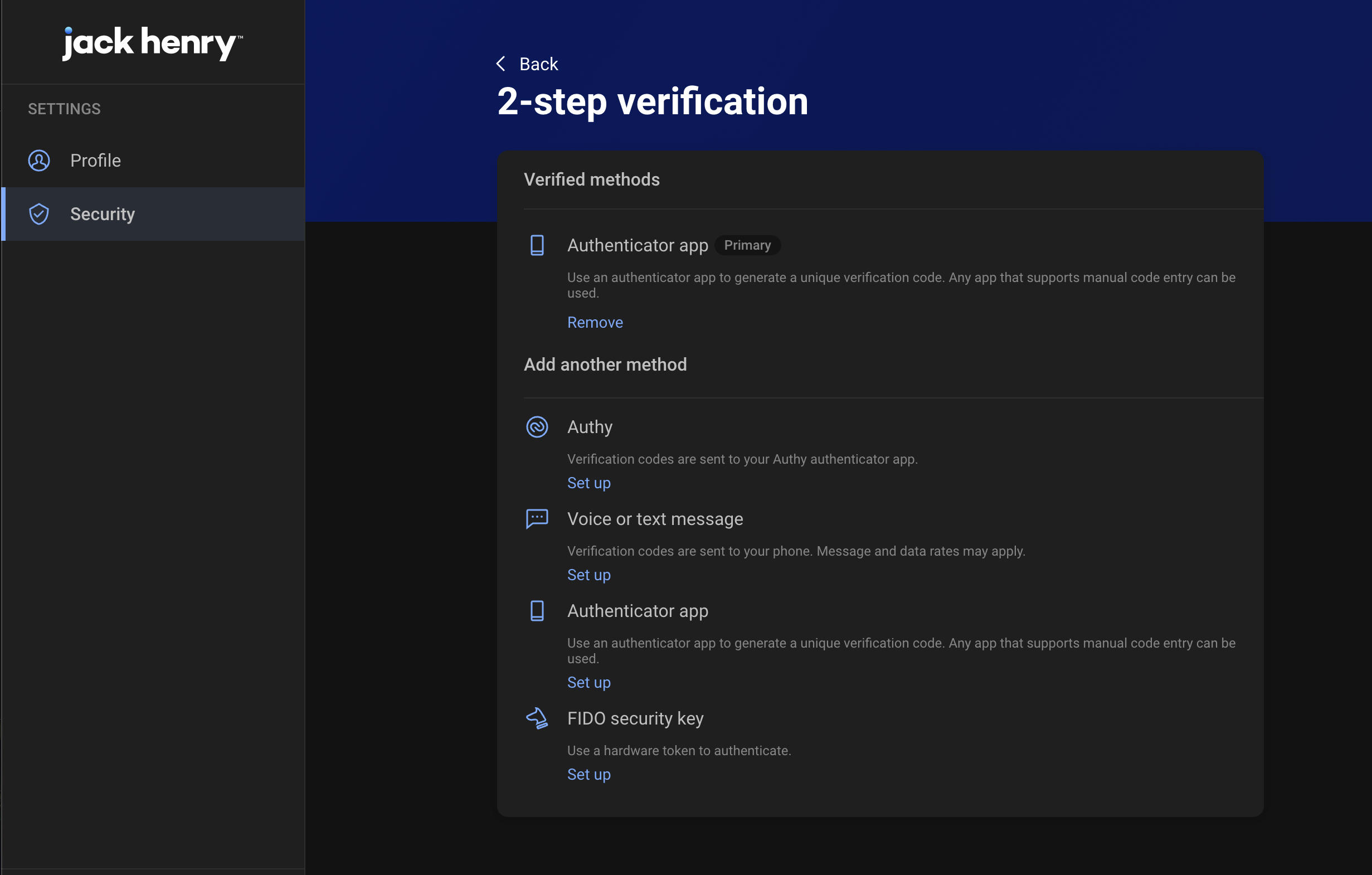
If a user removes all of their enrolled 2FA methods, they’ll be signed out and required to re-enroll in 2FA before successfully authenticating again.
Planned enhancements
- Passkey support.
- Users will be able to voluntarily changing their password from the Security screens (but will not apply to users who are configured to authenticate with a password from Active Directory).
- Users will be able to view and remove recently used devices.
- Have a how-to question? Seeing a weird error? Get help on StackOverflow.
- Register for the Developer Office Hours where we answer technical Q&A from the audience.